Log income and expenses against the groups you actually use, automate the bills that repeat every month, and see your savings rate the moment you open the app.
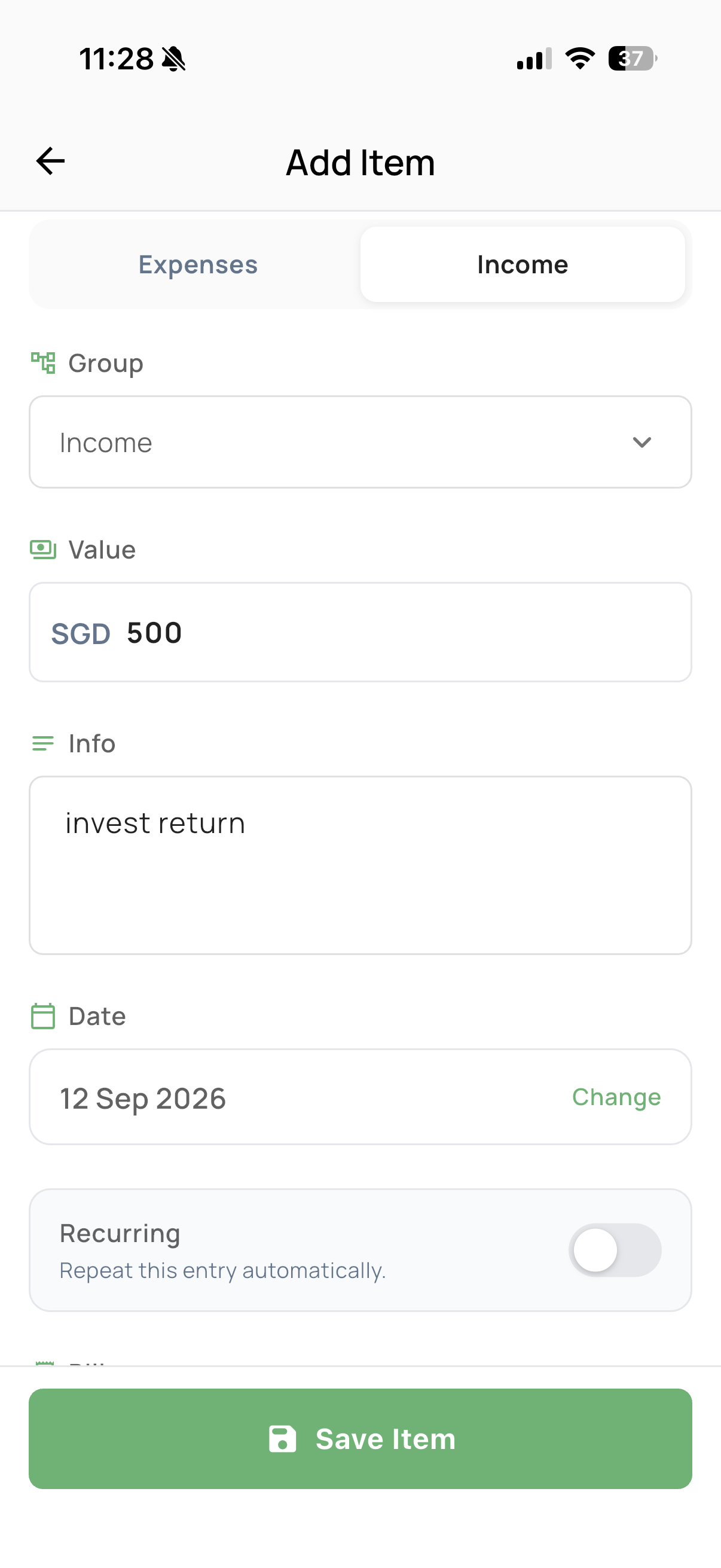
Choose Expenses or Income, pick the group it belongs to — like "Family Home" — enter the value and a short note, and Nestiy files it under the right date automatically.
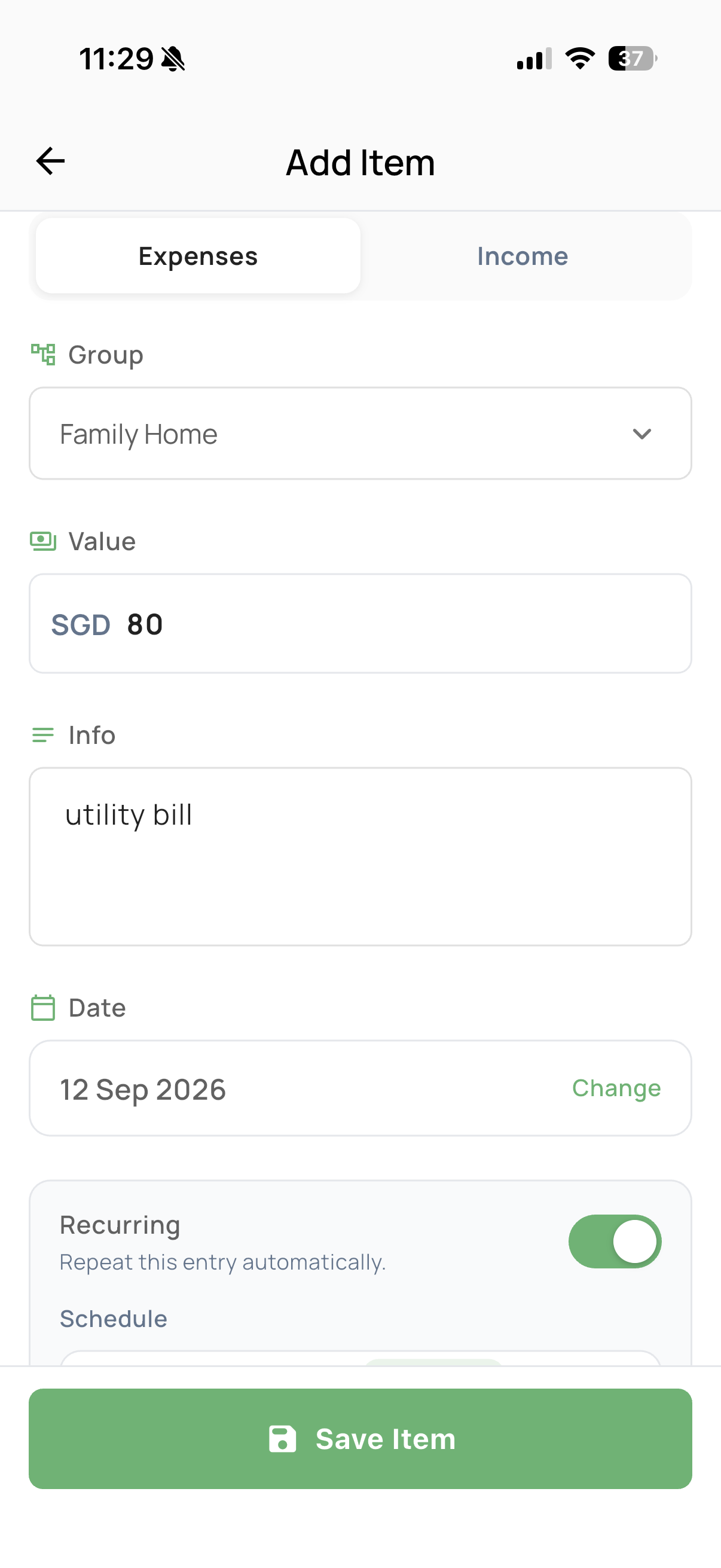
Flip on Recurring for anything that comes back every cycle — utilities, subscriptions, rent — and pick a schedule. Nestiy logs it automatically so your cashflow stays accurate without repeat data entry.
Every income entry — salary, returns, side income — rolls up into your Income group total, so you always know what came in before you look at what went out.
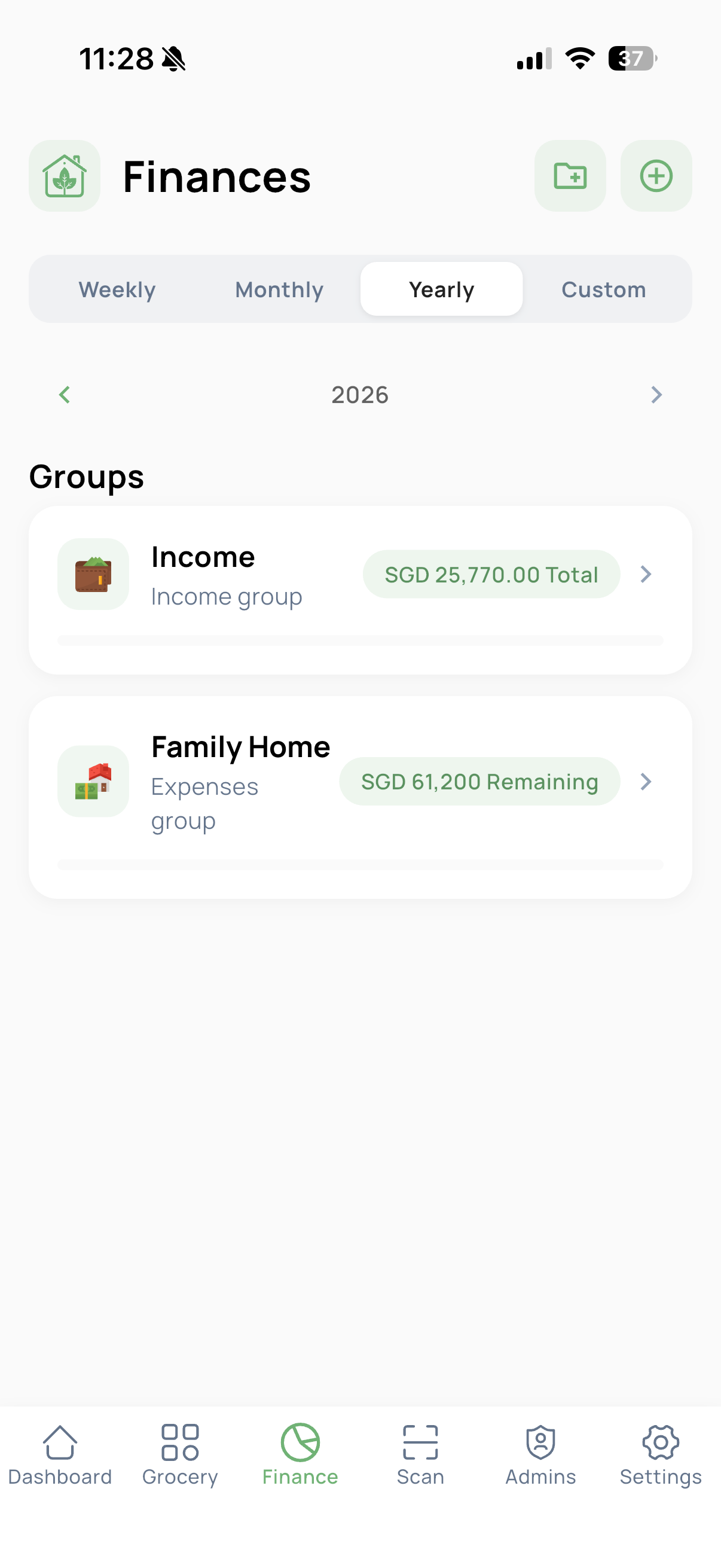
Switch between Weekly, Monthly, Yearly, or a Custom range and step through past periods with the arrows — every group shows its own total for whichever window you're viewing.

The dashboard pulls income, expenses, and total cashflow into a single saved-percentage ring — so you can tell, at a glance, whether this year is on track.
Add your first income and expense group today.
